


Hej, hvordan kan vi hjælpe?
- Sådan overføres en placering mellem slutbrugere
- Installationscheckliste
- Løsning af fejl ved ventetid ved tilbagefald (kun for installatører)
- Sådan bestiller du en Point
- Sådan tilsluttes ladestationen til 4G under/efter installationen
- Sådan oprettes og administreres placeringer
- Hvad er en placering, og hvorfor er den vigtig?
- Sådan overføres ejerskabet til kunden (NexBlue App)
- Fasevridning
- Ventetid for fejl
- Hvor er stikket til min ladZen?
- Sådan gør du en ladestation fast tilsluttet (ledningen forbliver tilsluttet)
- Sådan ændres lysstyrken på ladestationens lys
- Sådan tilføjer du et opladningspunkt/en belastningsbalancer til din placering
- Sådan bestiller du en Point
- Sådan tilsluttes ladestationen til 4G under/efter installationen
- RCD-testprocedure
- Sådan kontrolleres det, om et produkt har udvist uventet adfærd
- Reststrømsbeskyttelse
- Fasevridning
- Tilslut NexBlue Zen Load Balancer) til NexBlue
- Ventetid for fejl
- Hvor er stikket til min ladZen?
- Løsning af fejl ved ventetid ved tilbagefald (kun for installatører)
- Sådan tilføjer du et opladningspunkt/en belastningsbalancer til din placering
- Sådan bruger du solenergi til at oplade din bil
- Sådan kontrolleres det, om et produkt har udvist uventet adfærd
- Sådan tilsluttes NexBlue Zen smart måler) til Wi-Fi
- Integrer solcellepanelterminal med belastningsbalancer
- Sådan tilføjer du en placering, der er blevet delt med dig
- Hvor er stikket til min ladZen?
- Sådan deler du en placering med en person/organisation
- Sådan opretter/tilmelder du dig/inviterer nogen til en organisation
- Sådan tilsluttes ladestationen til 4G under/efter installationen
- Sådan udfører du en fabriksindstilling af et produkt
- Sådan oprettes og administreres placeringer
- Sådan kontrolleres det, om et produkt har udvist uventet adfærd
- Opladningsstatus
- Fasevridning
- Sådan overføres ejerskabet til slutkunden (Partnerportal)
- Forudgående konfiguration: Fjernbetjent færdiggørelse af installationskonfigurationen på portalen
- Skal alle nye installatører have et brugernavn og en adgangskode?
- Hvordan skifter man hovedsikringen på Partnerportalen?
- Sådan overføres en placering mellem slutbrugere
- Sådan tilsluttes en oplader til WiFi
- Eksport af opladningsdata
- Tilslut NexBlue Zen Load Balancer) til NexBlue
- Ventetid for fejl
- Hvor er stikket til min ladZen?
- Sådan gør du en ladestation fast tilsluttet (ledningen forbliver tilsluttet)
- Sådan ændres lysstyrken på ladestationens lys
- Sådan tilføjer du et opladningspunkt/en belastningsbalancer til din placering
- Sådan opretter du forbindelse til din takst (EcoPilot)
- Sådan indstilles maksimal ladestrøm
- Sådan indstilles opladningsplanen
- En anden person ønsker at benytte min ladestation. Hvordan kan jeg dele den med vedkommende?
- Sådan bruger du solenergi til at oplade din bil
- Sådan tilføjer du et ladested i myNexBlue-appen
- Sådan tilsluttes NexBlue Zen smart måler) til Wi-Fi
- Hvordan konfigureres enfaset opladning?
- Opladeren eller load balanceren opretter ikke forbindelse via Bluetooth
- Firewallkrav til NexBlue Ladepunkter
- Løsning af fejl ved ventetid ved tilbagefald (kun for installatører)
- Hvorfor har jeg modtaget en e-mail-advarsel om min(e) ladestation(er)?
- Min ladestation er tændt, men lyset på enheden er ikke tændt.
- RCD-testprocedure
- Begivenhedsliste
- Sådan kontrolleres det, om et produkt har udvist uventet adfærd
Sådan opretter/tilmelder du dig/inviterer nogen til en organisation
Indholdsfortegnelse
Hvorfor er organisationer vigtige?
Inden NexBlue har vi introduceret organisationer. Organisationer er en fantastisk måde at strømline driften på, både hvad angår samling af alle installationer, som du måtte være ansvarlig for, og hvad angår adgang til ting som vores forudkonfigurationsværktøj, der giver dig mulighed for at konfigurere i bulk og i nogle tilfælde endda konfigurere uden for stedet.
Med organisationer har du adgang til alle installationer inden for dit netværk, når de er færdige. Dette er en stor fordel for store organisationer, der bruger underleverandører til deres installationer. Så snart en installatør, der er en del af din organisation, konfigurerer en ladestation via NexBlue , bliver den også synlig i din portalvisning.
Det er vigtigt at bemærke, at alle medlemmer af din organisation også kan se alle installationer, der er udført af andre medlemmer af organisationen. Hvis dette udgør et problem, er en alternativ løsning at bruge funktionen til deling af placering, som er beskrevet i denne vejledning.
Sådan opretter du en organisation
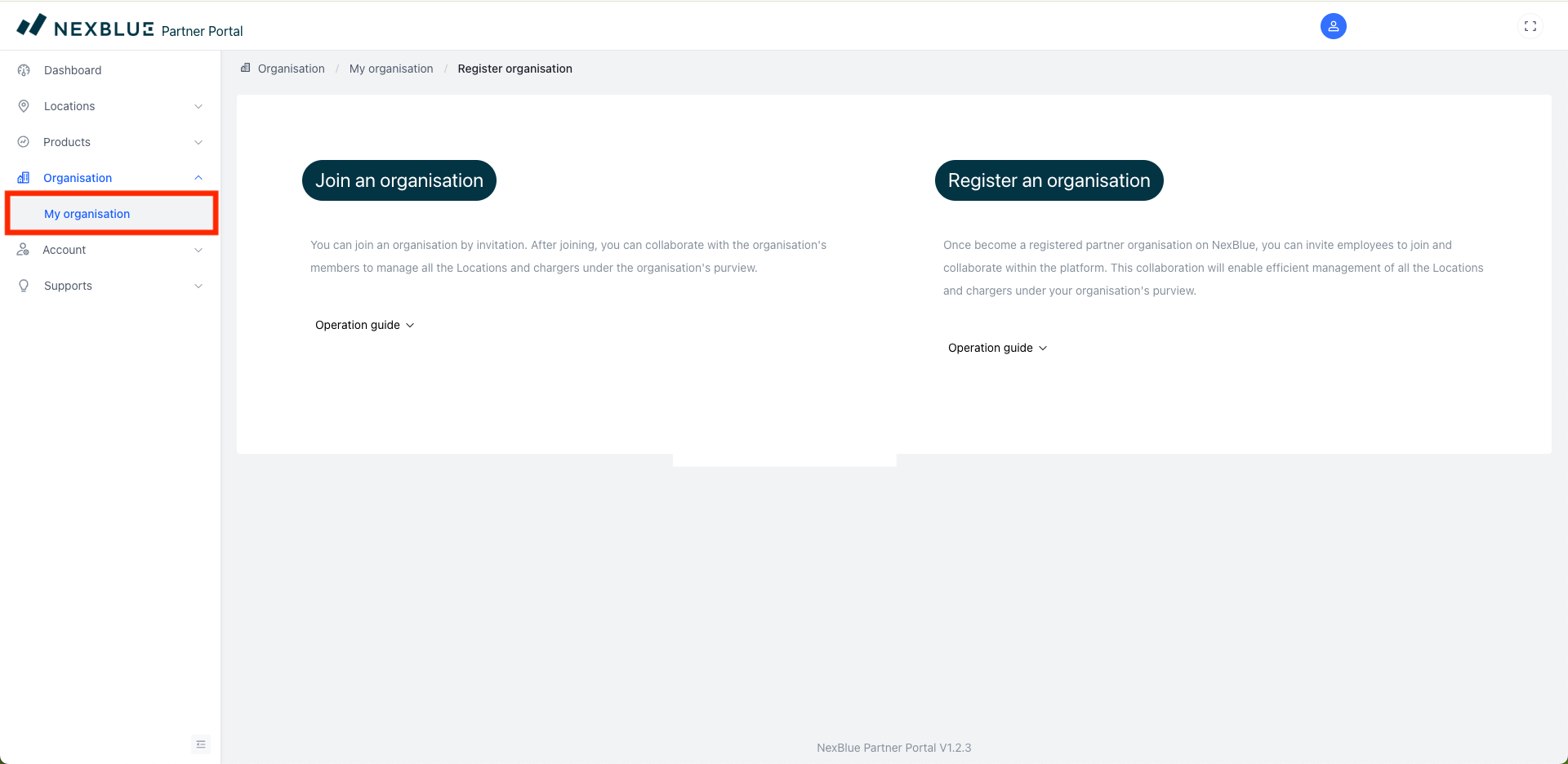
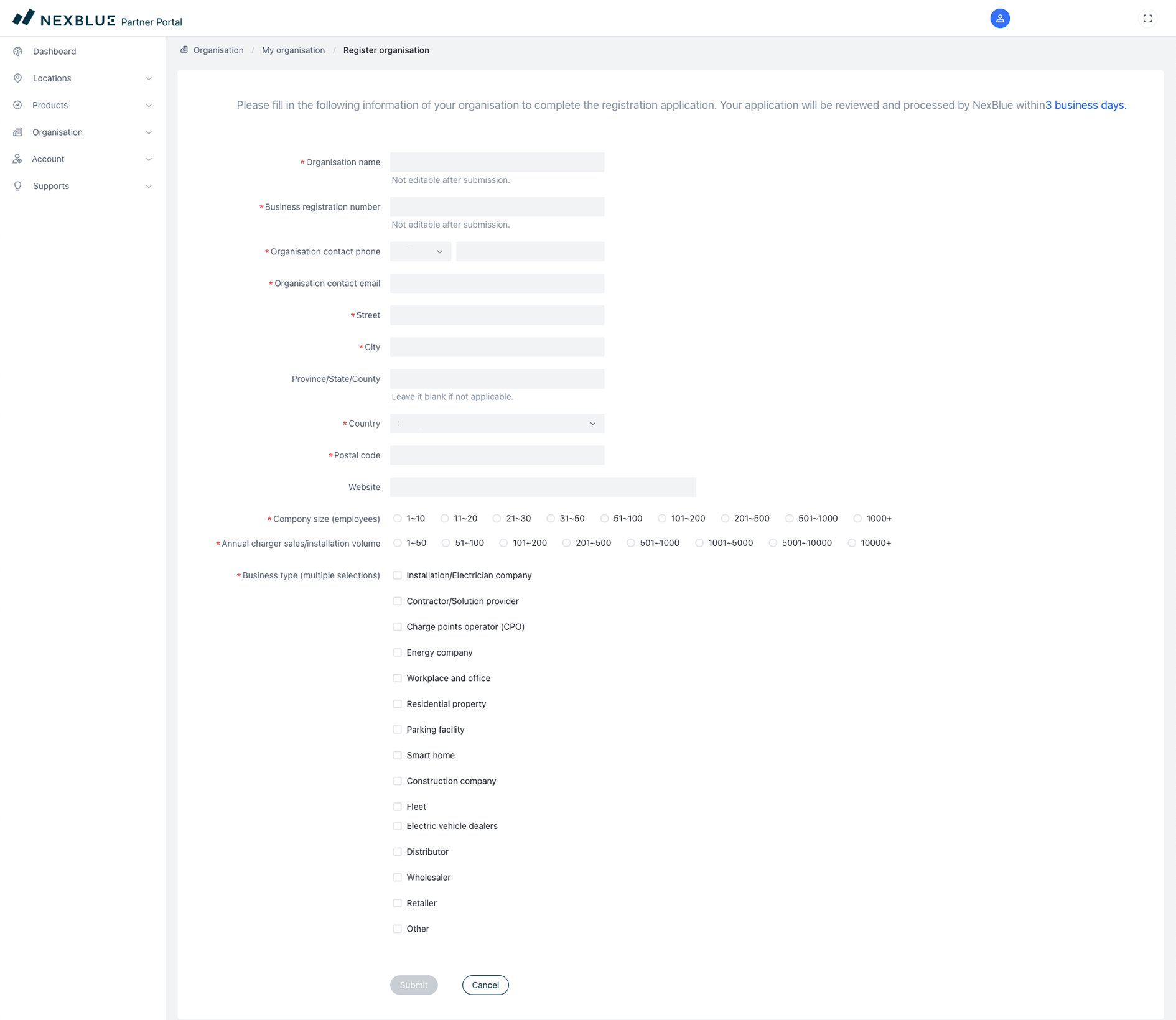
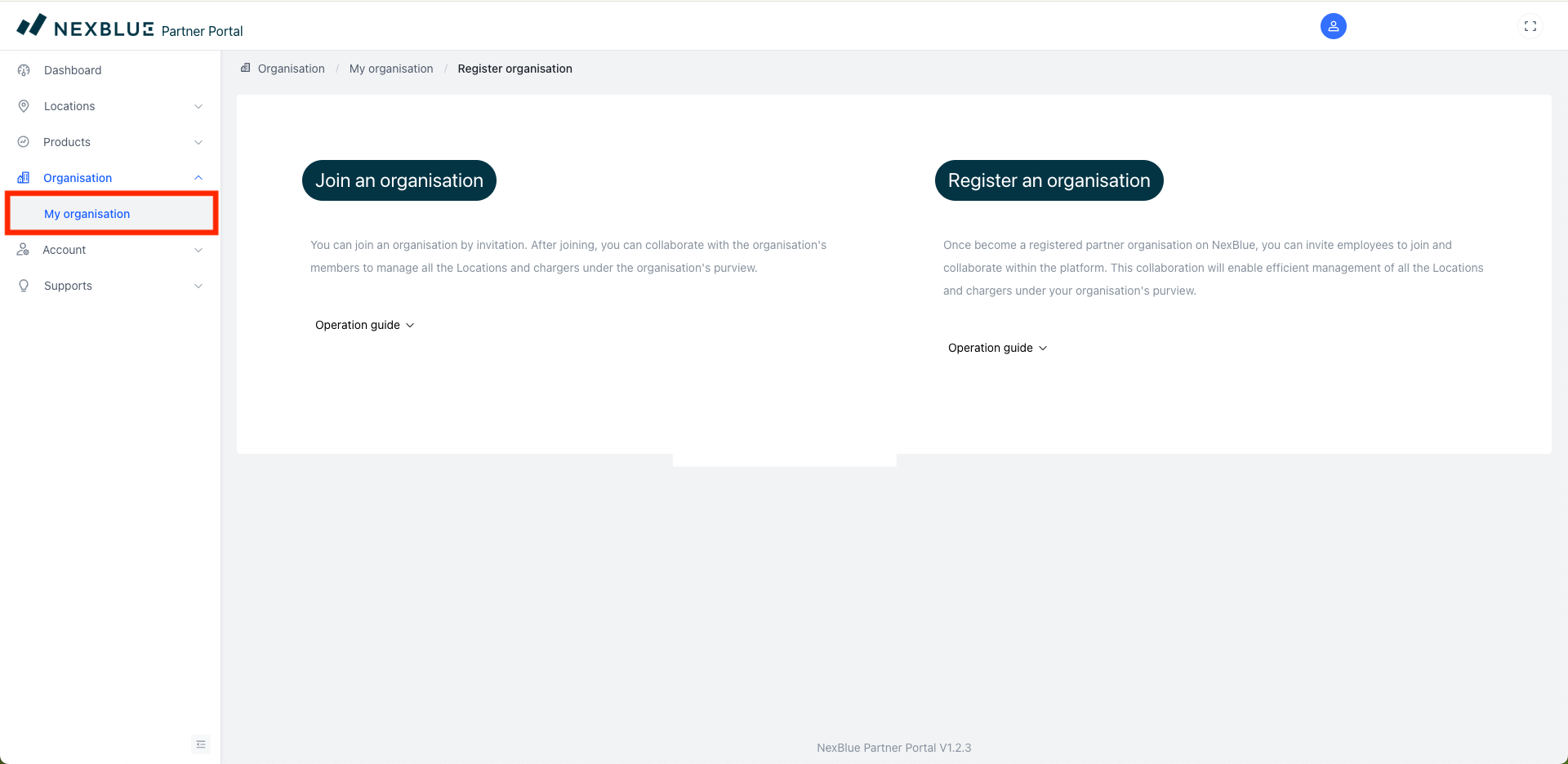
Hvis du vil oprette en organisation, skal du gå til "Min organisation", som du finder under Organisation i menuen til venstre. Du får mulighed for enten at "Tilmelde dig en organisation" eller "Registrere en organisation". Hvis du er den mest egnede person til at registrere organisationen, skal du klikke på denne mulighed og udfylde følgende formular. Når organisationen er indsendt, bør du inden for 3 arbejdsdage modtage en bekræftelse på, at organisationen er blevet oprettet.
Sådan inviterer du nogen til en eksisterende organisation
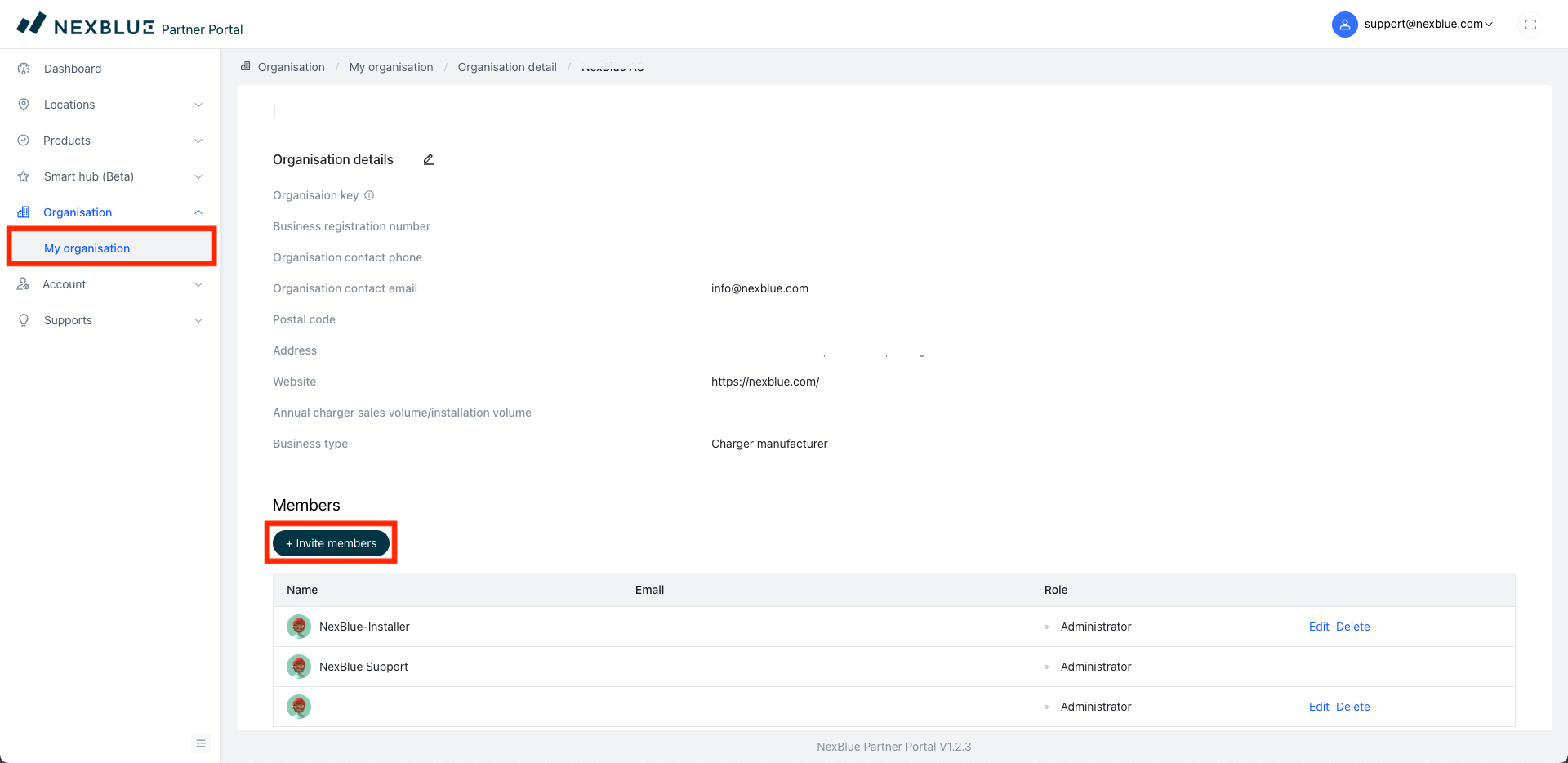
Når en organisation er oprettet, har ethvert medlem af organisationen med rollen "Administrator" fuld kontrol over organisationen, herunder medlemskabet inden for rollefordelingen. Du er administrator og vil gerne invitere et nyt medlem til organisationen. Gå til afsnittet "Min organisation" i menuen til venstre, rul ned til Medlemmer, og klik derefter på "Inviter medlem".
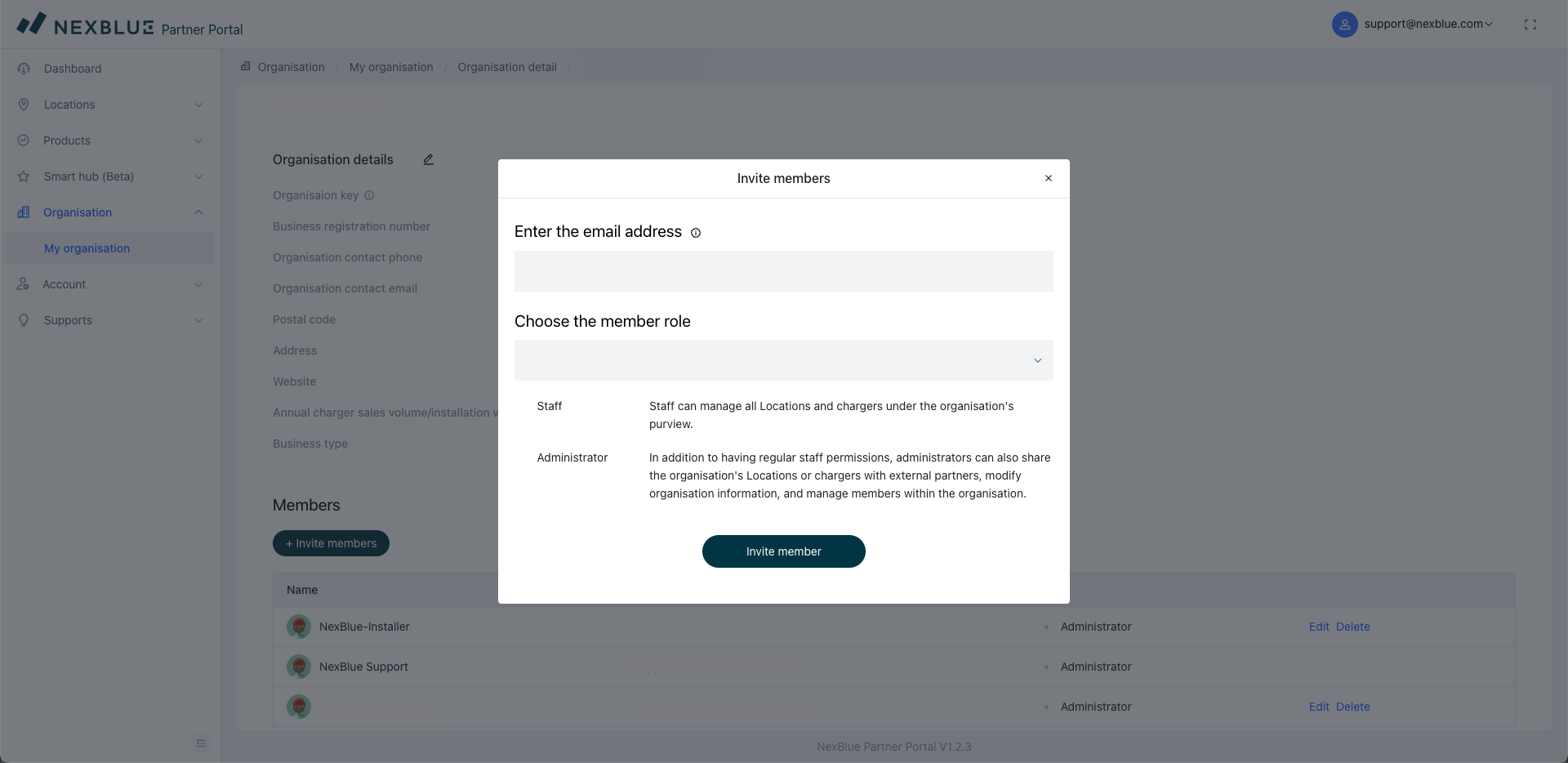
Indtast e-mailadressen på den person, du vil invitere, samt vedkommendes rolle. Det er vigtigt at bemærke to ting:
- Alle, du tilføjer, har fuld synlighed over alle installationer, der er synlige for dig, herunder dem, der er installeret af andre medlemmer af organisationen.
- Hvis den tildelte rolle er "Administrator", har medlemmet nøjagtig samme kontrol over organisationen som dig.
Sådan bliver du medlem af en organisation
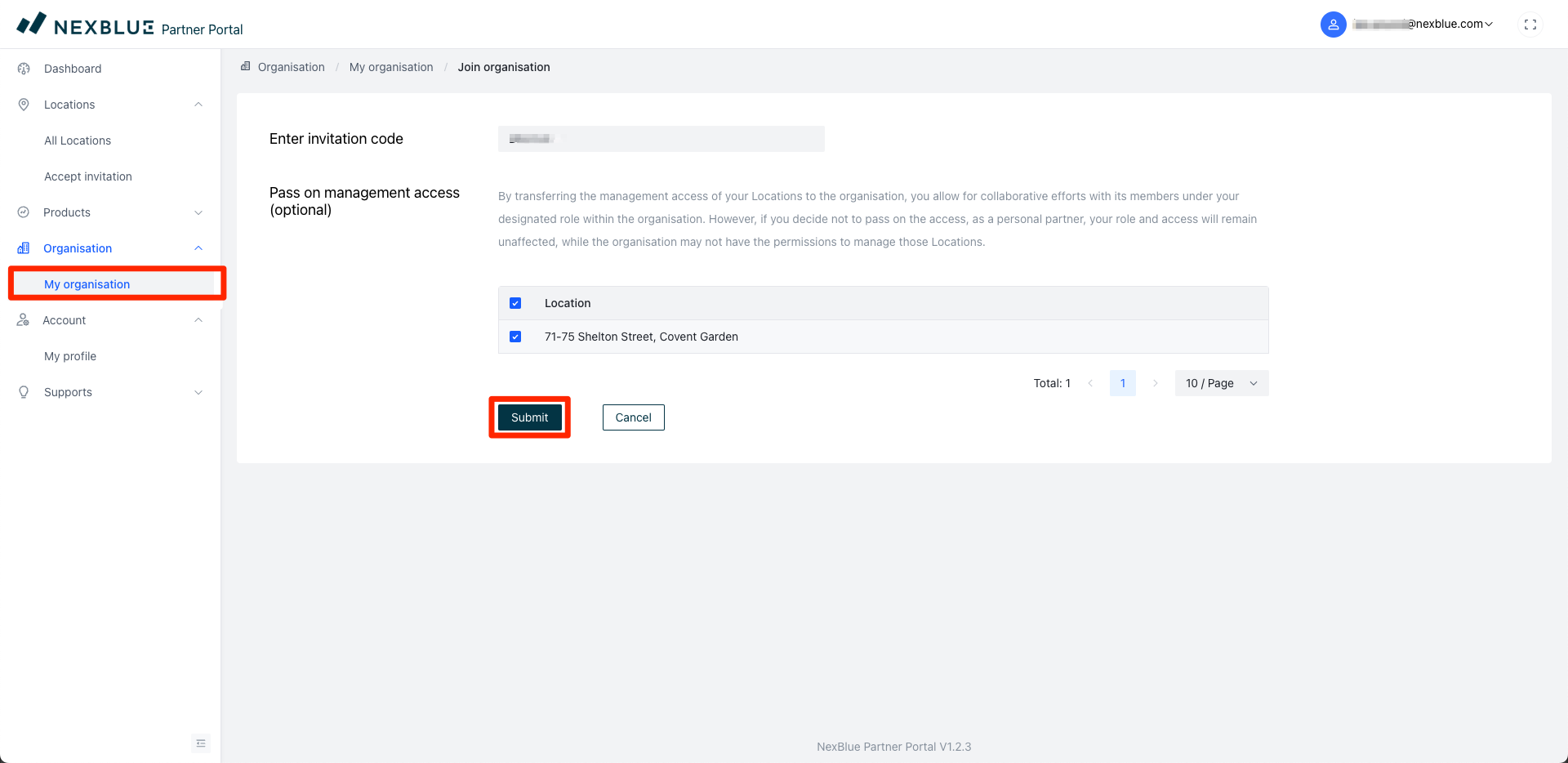
Når du har inviteret nogen til en organisation, skal vedkommende tilmelde sig. For at gøre dette skal du gå til "Min organisation" til venstre og klikke på "Tilmeld dig en organisation". Du bliver derefter bedt om at indtaste en invitationskode, som en af administratorerne har sendt til dig via e-mail. Hvis du ikke kan finde e-mailen, skal du tjekke din spam-/junk-mappe eller bede dem om at sende den igen.
Når du tilmelder dig, kan du vælge at videregive administratoradgang. Alle eksisterende placeringer, der vælges på dette tidspunkt, vil få deres tilladelser overført til organisationen og alle inkluderede medlemmer. Hvis du ikke vælger denne indstilling, vil kun fremtidige installationer blive delt.
Opdateret den 18. maj 2026